If you have an active subscription, and you need to change your payment method, no problem! Follow these steps to change your payment method:
Step 1: Log in to Your Dashboard
Visit takeprofittrader.com.
Click Login at the top right of the homepage.
Enter your account credentials to access your dashboard.
Step 2: Locate Your Active Subscription
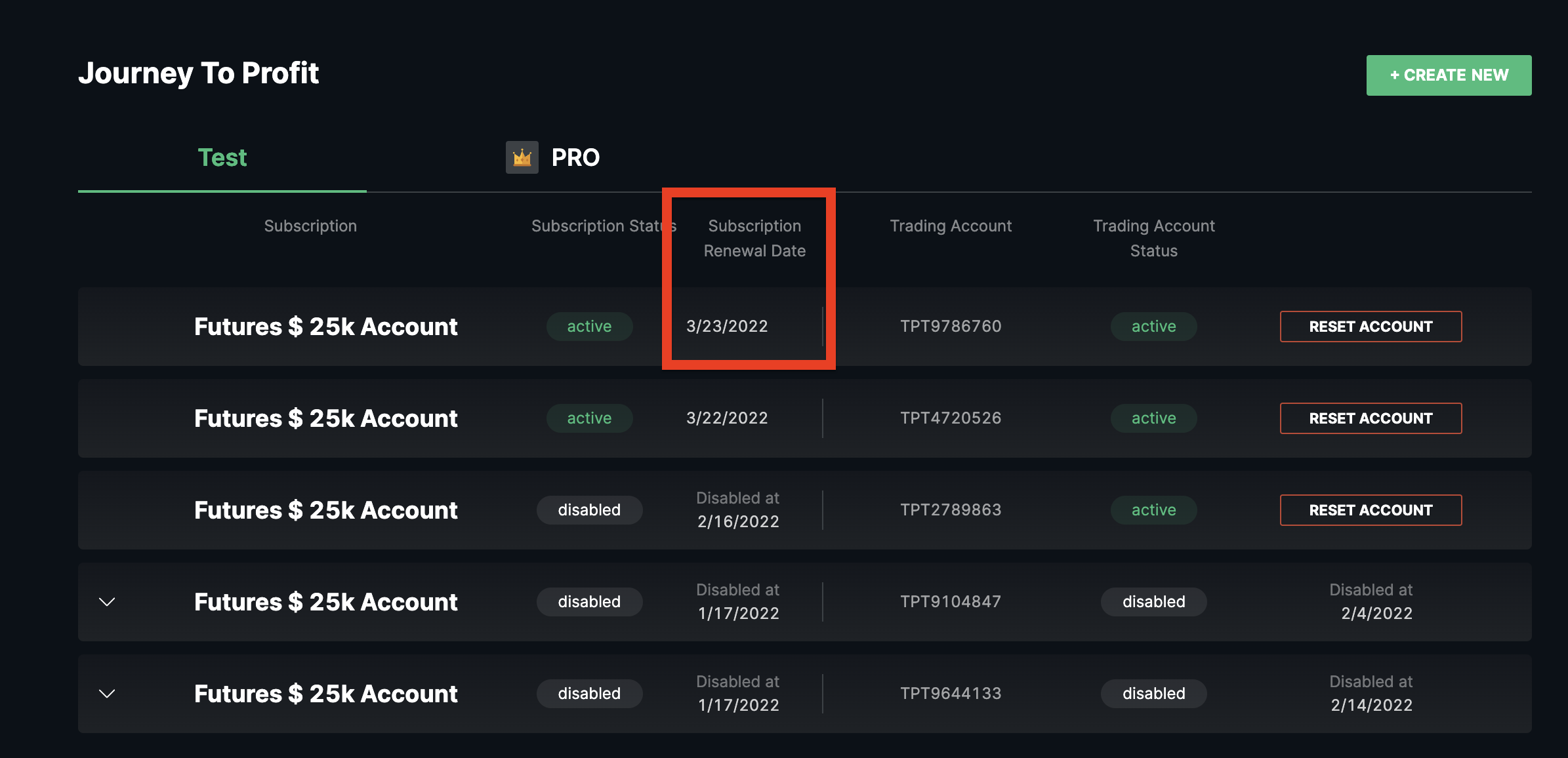
`Once logged in, navigate to your Journey to Profit section.
`Click on an active subscription.
Step 3: Changing the Payment Method
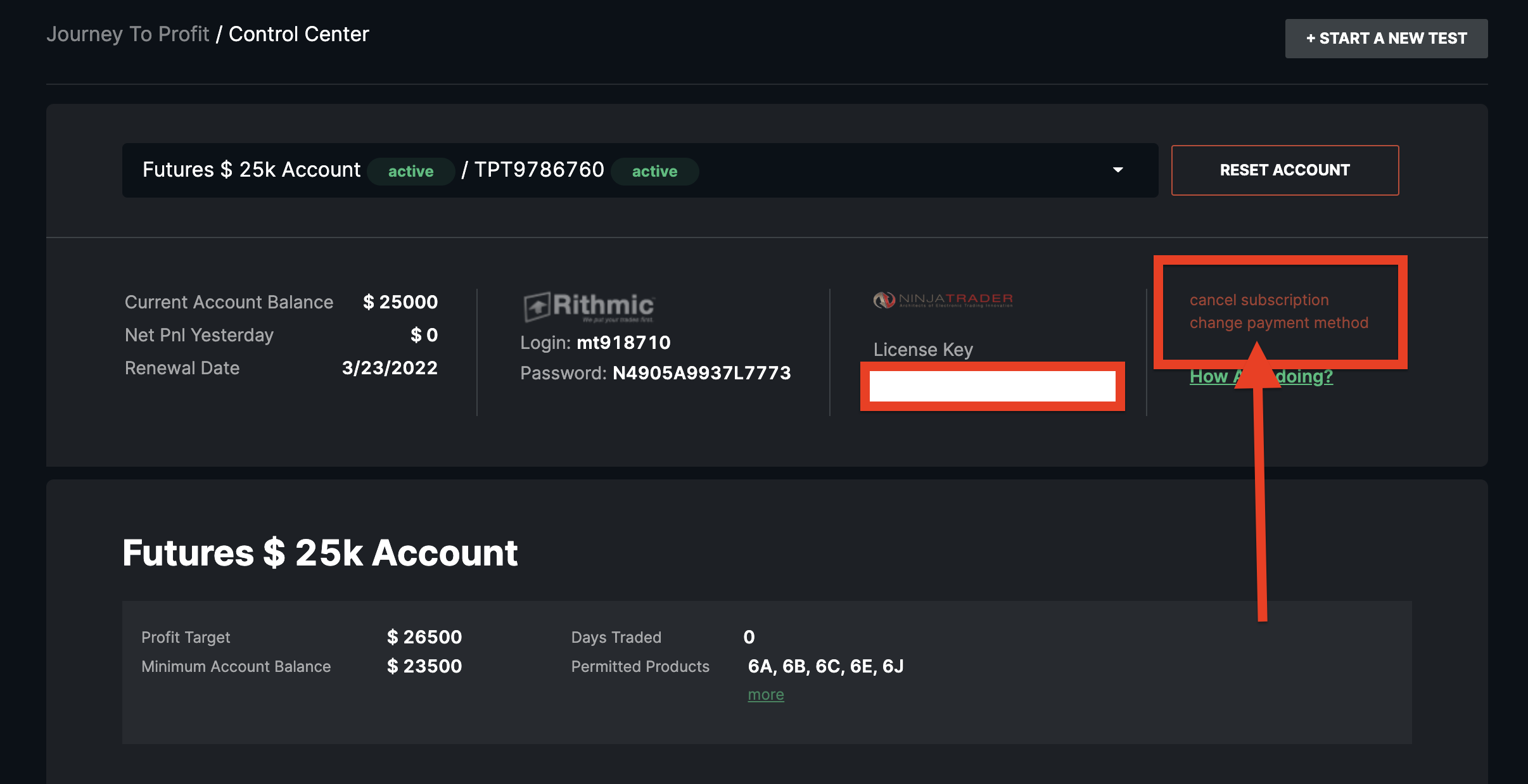
- Find "change payment method" on the right.
-
The order form will pop up and you can enter the details of the new chosen payment method.
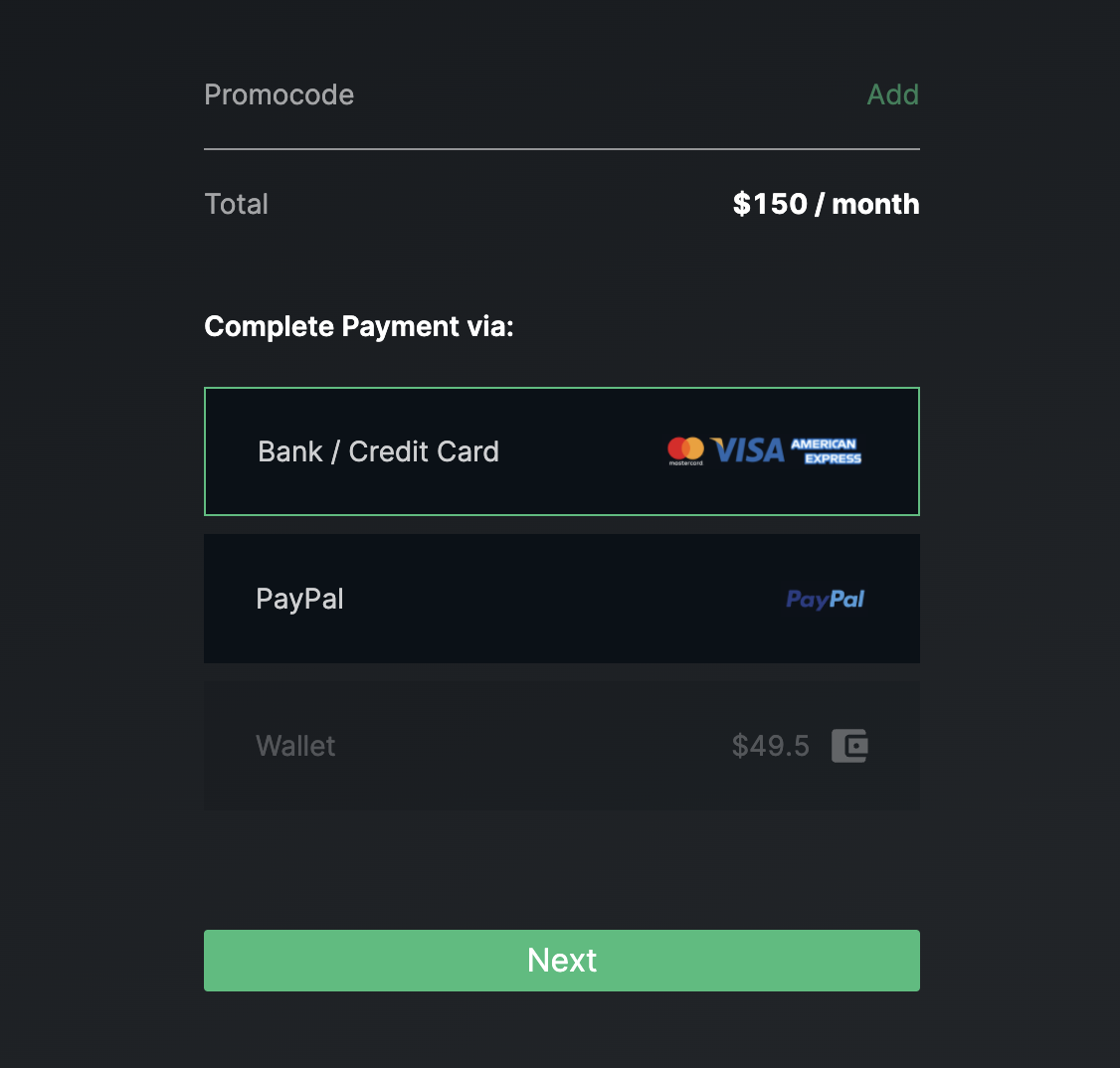
Note: You WILL NOT be charged when changing payment method. It's just showing you how much the charge will be on your subscription due date, which can be found back on the first page.