
The wallet feature is one of features that separates Take Profit Trader from everyone else. This will be how you get paid, and how you withdraw money into your account.
Finding Your Wallet
- Login to takeprofittrader.com using your credentials.
-
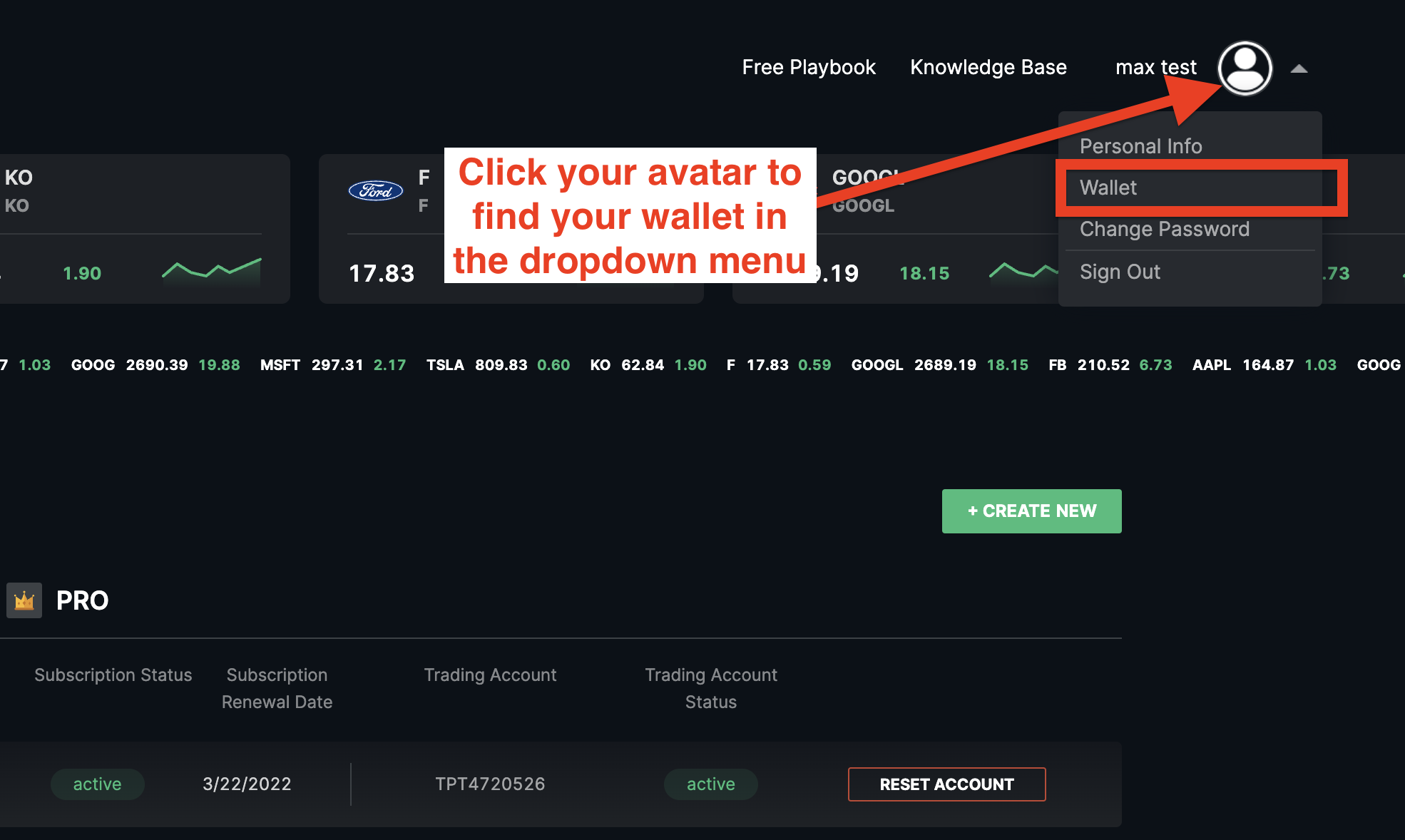
Click on your avatar in the top right section of the screen. You will find the wallet in the dropdown menu.
-
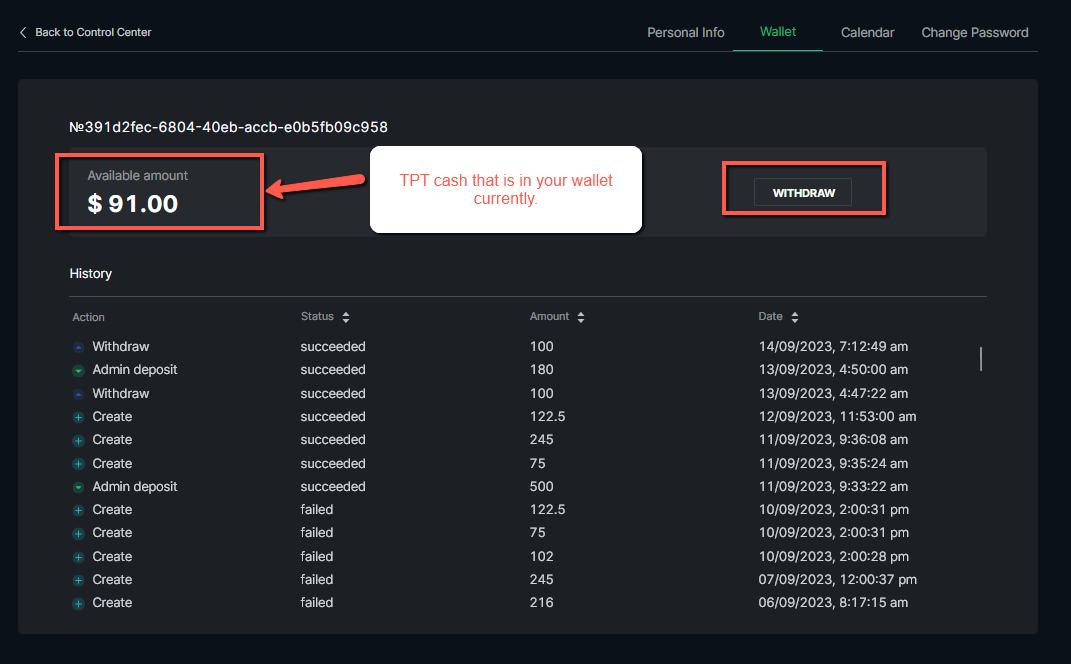
When you click on your wallet, the next screen will show your wallet balance. Here you can also see all of your deposit and withdraw history, as well as an option to withdraw funds.
Paying Using Your Wallet
- Any money available in your wallet can be used to purchase anything at TakeProfitTrader.com. This includes, new subscriptions, resets, etc.
- You will see the option to use the funds from your wallet at any checkout page. If you have enough money in your wallet, you will be able to select your wallet as the payment method. The amount will be subtracted from your wallet balance.
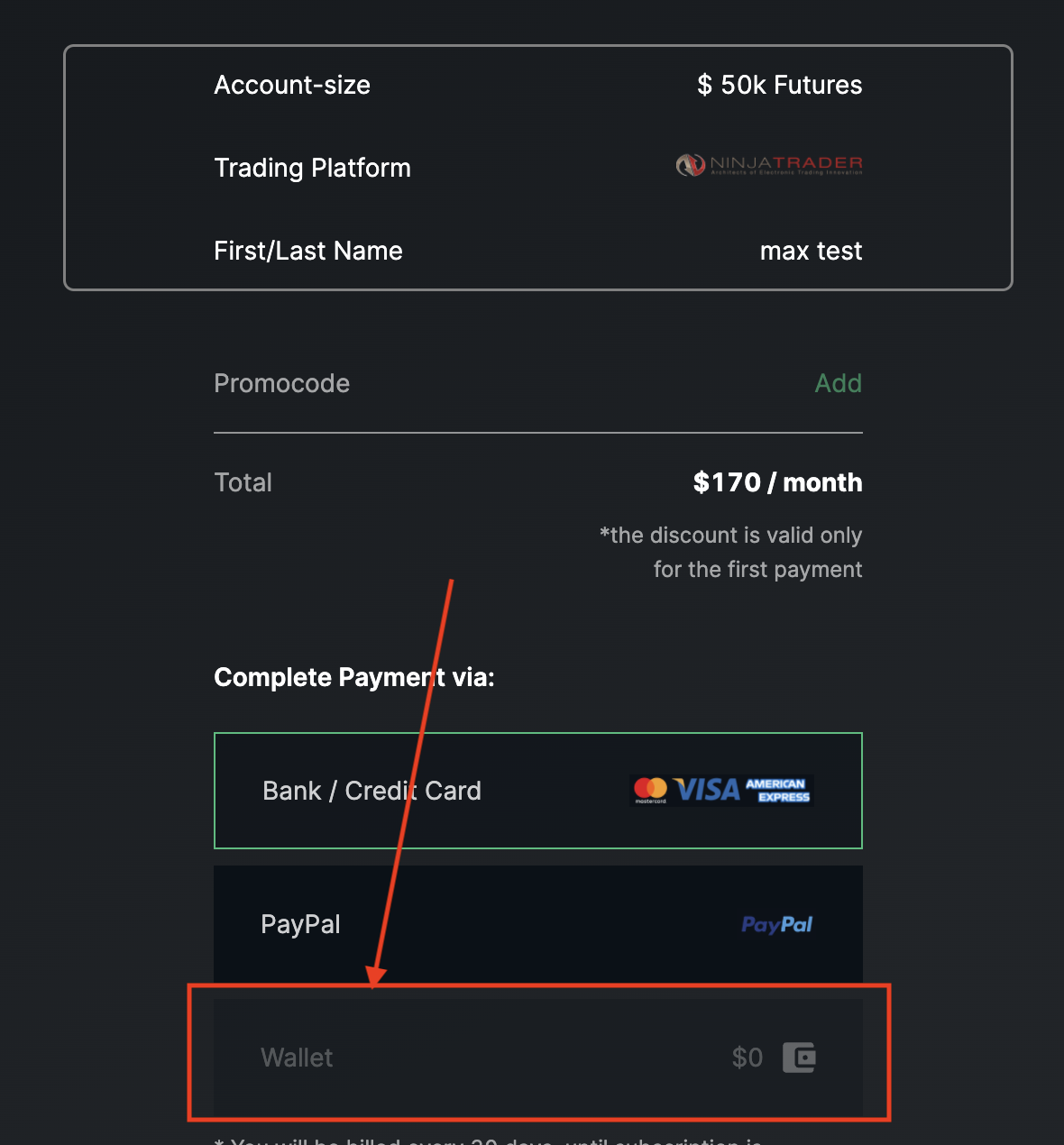
Note: Your wallet will only light up as an option if it has enough funds to cover the entire cost of the transaction. Unfortunately, we currently do not have the function to split payments using the wallet.
Withdrawing from Your Wallet
Now to the fun part, the withdraw feature!
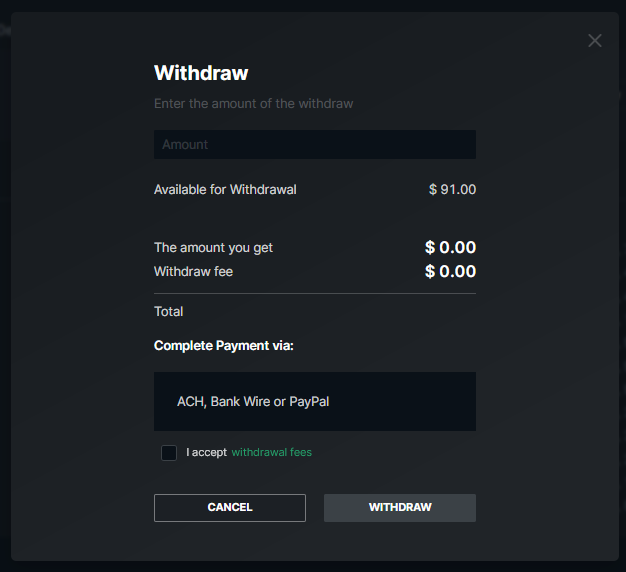
- Inside the wallet, if you click on "Withdraw," a window will pop up. The amount of money available to withdraw will show up in this window, based on how much money is in your wallet.
To learn more about withdrawing from your wallet, please visit this section of the knowledgebase. You can also find more information on payout methods here.
Note: In order to withdraw gains from your PRO Account, you must first withdraw money from your PRO Account into your wallet. We show this process in this article.