
The trading dashboard allows you to track your account progress and metrics. You can enter the trading dashboard by logging into the Control Center and clicking into the specific account you wish to view.
Here are the key features of the Trading Dashboard:
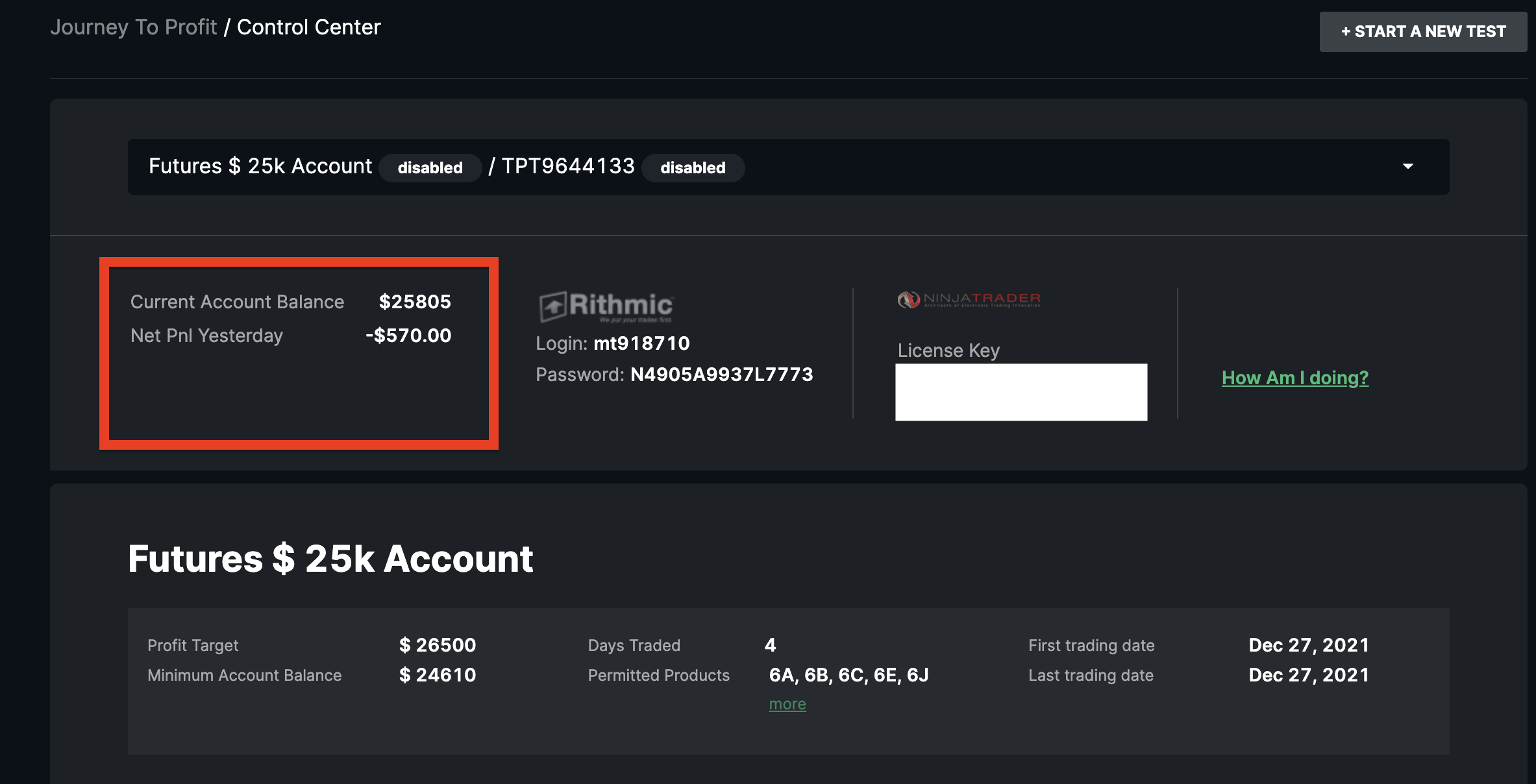
Viewing Your Account Balance
The trading dashboard reflects the account balance. It's important to note that this balance does not update in real time. We update the balances after the end of the trading day, and the dashboard will reflect these updates between 08:00 PM and 09:00 PM Eastern Time. To view your account balance in real-time, please check your trading platform.
Storing Your Platform Credentials
Next to the account balance, you will see your Rithmic or CQG credentials and NinjaTrader license key for your trading user. This is here as a reminder, so you always have it. If you're looking for connection instructions, please visit that section of the knowledgebase here.
Checking Your Rule Compliance
In your TakeProfitTrader.com dashboard, you can monitor your trading test by selecting How Am I Doing?
The How Am I Doing? section shows your:
- Trading days
- Overall progress towards your profit goal
- Adherence in the consistency rule T
- Whether you have violated any Test Rules.
A green check mark means the rule has been followed correctly.
A red mark means the rule was broken and the account has failed.
If an account fails, you can continue your trading test by requesting an account reset.
Viewing Your Balance and Progress Graph
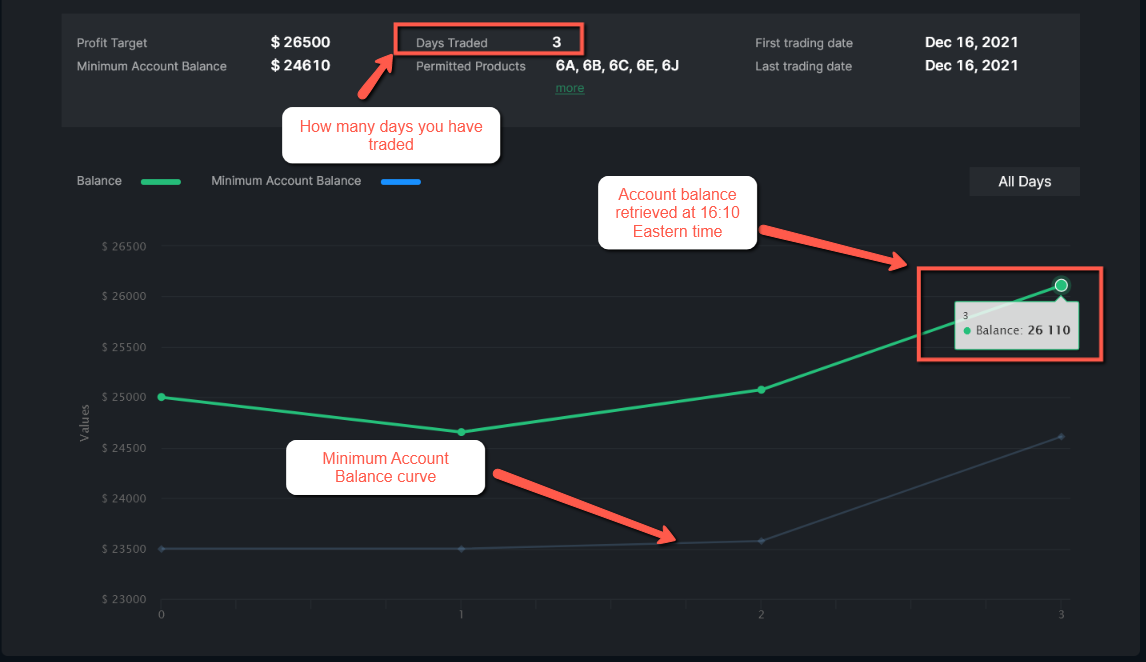
The dashboard displays your account balance and minimum account balance (drawdown) on a progress graph.
You can also review details about how each curve works in the dedicated explanation section.
At the top of the graph, you will see the total number of days you have traded the account.
Reviewing Your Daily Journal
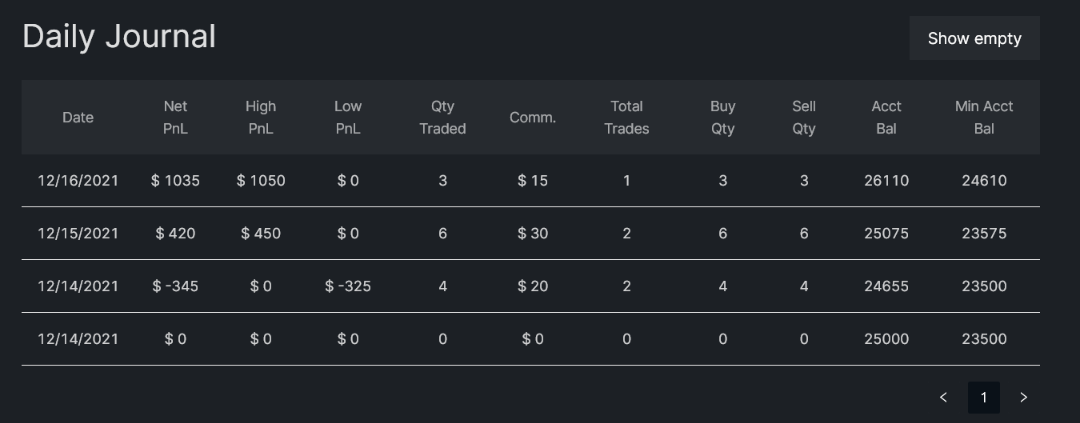
Your Daily Journal includes trading details for each active day:
Profit & Loss
Commissions
Number of trades
Number of contracts traded
This helps you analyze your performance day by day.
When Dashboard Data Updates
Dashboard metrics update daily between 08:00 PM and 09:00 PM Eastern Time.
In some cases, the update may take slightly longer, so statistics from the previous trading day might appear with a short delay.
If you have any questions about any of the metrics, please reach out to our Profit Team in the live chat, we're happy to help.