
If you no longer wish to continue your TakeProfitTrader subscription, you can easily cancel it through your user dashboard.
Step 1: Log in to Your Dashboard
Visit takeprofittrader.com.
Click Login at the top right of the homepage.
Enter your account credentials to access your dashboard.
Step 2: Locate Your Active Subscription
Once logged in, navigate to your Journey to Profit section.
Find the Trading Test subscription you wish to cancel.
You can cancel your subscription in two ways:
Option 1: Click the X icon next to your active subscription.
Option 2: Open your account details and click Cancel Subscription in the account information window.
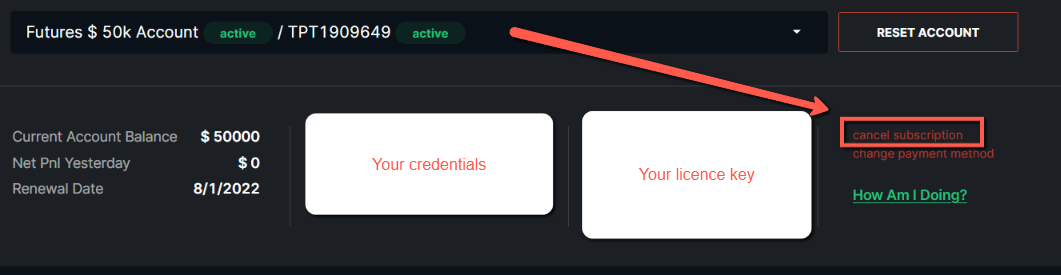
Step 3: Confirm Cancellation
Please note that once you confirm cancellation, this action cannot be undone.
Your subscription will remain active until the end of the current billing period, after which it will automatically terminate.
If you have not reached your profit target by the end of the billing cycle, your trading test will be considered unsuccessful.